KnowledgebaseWhere to Find Your cPanel Login Details

You can see your cPanel login details in client area. Please follow these steps.

Documentationβ€’Updated Feb 15, 2025

Where can I find my cPanel login details?

You can see your cPanel login details in client area. Please follow these steps.

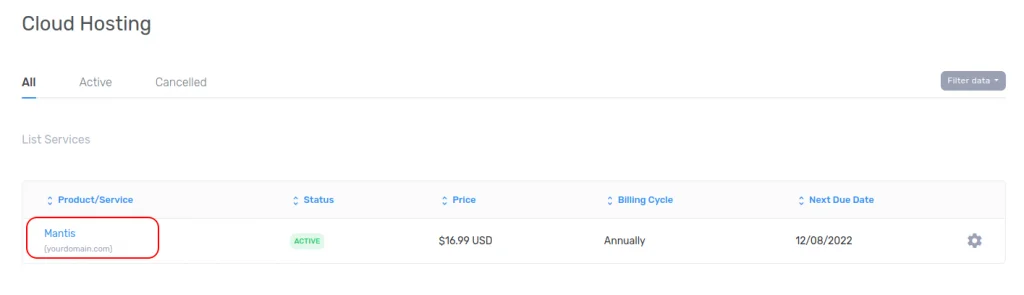
  1. From Left side bar in Clientarea, Go to Your Services -> Shared Hosting/Cloud Hosting
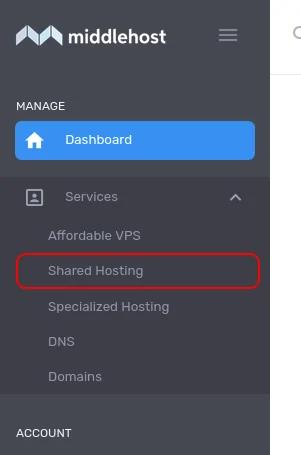
    access cPanel from client area - step 1.png


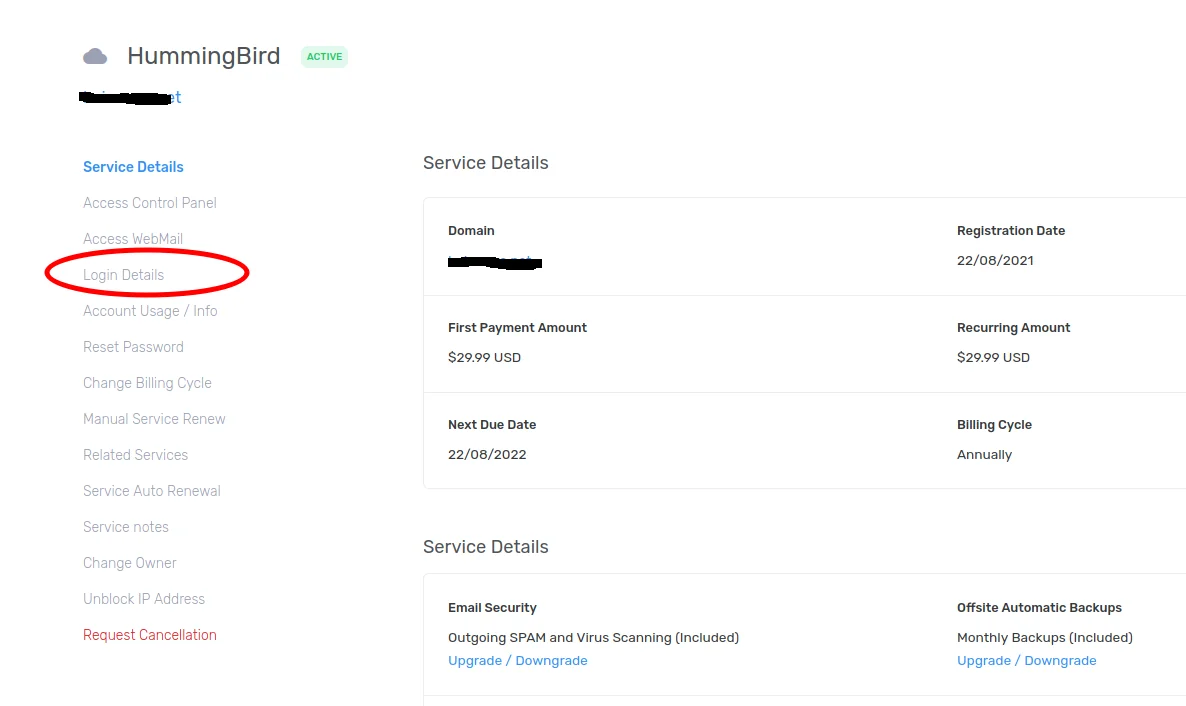
  2. Select Your Purchased product

    access cPanel from client area - step 2.png


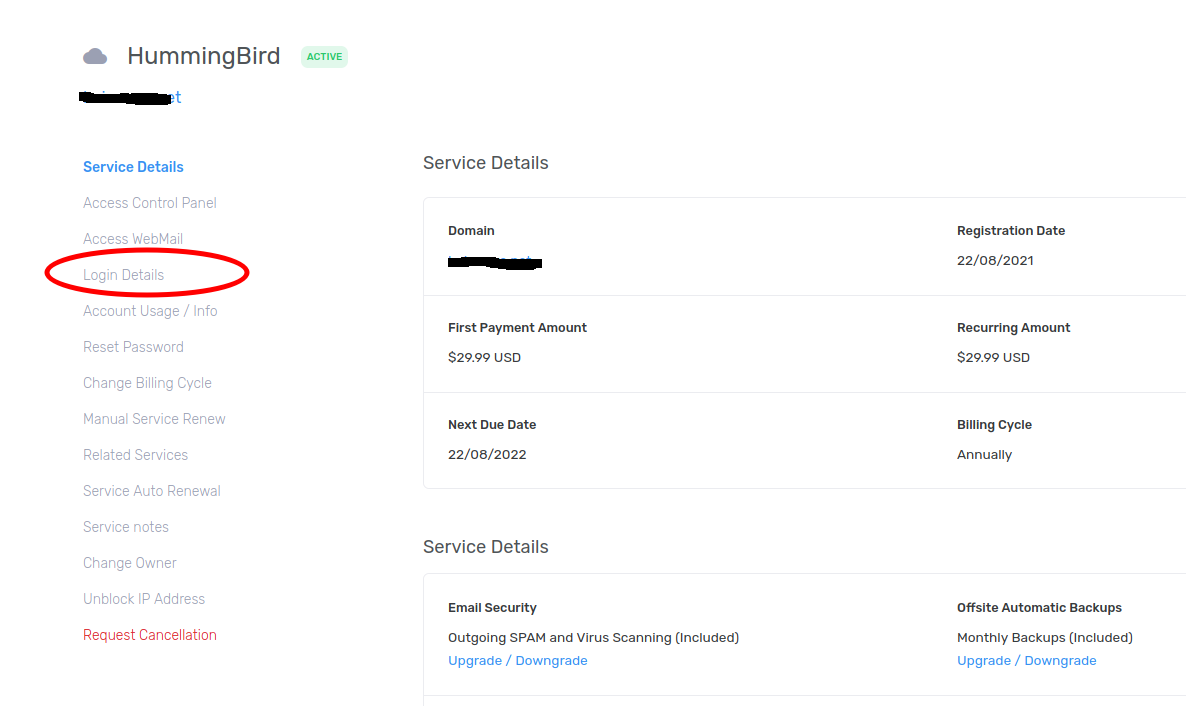
  3. Click on Login Details

    Click on Login Details.png

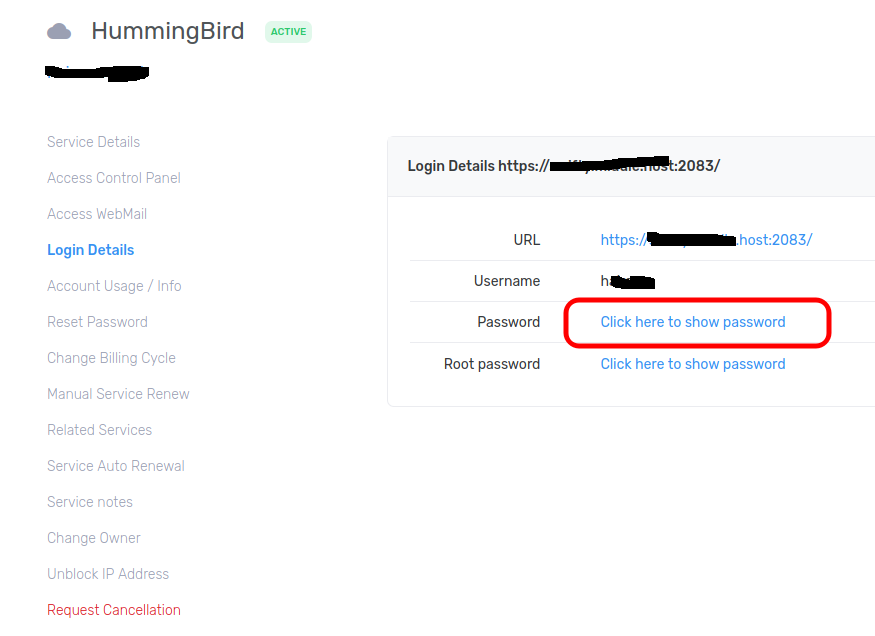
  4. Click on Click here to Show login details
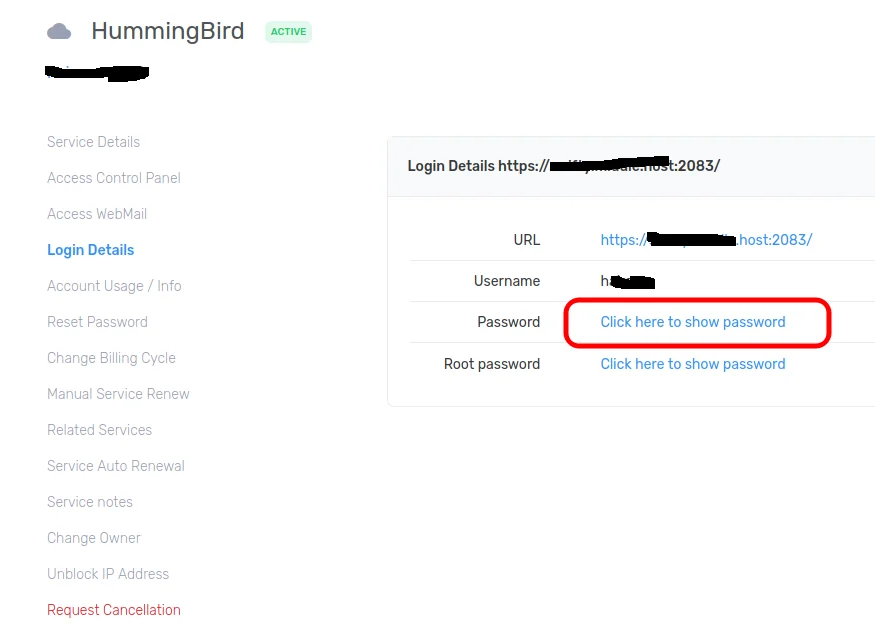
    Show Login Details.png


  5. Use the URL, Username and password from above screen to login to cPanel.


Supercharge Your Website with Blazing-Fast Hosting

Join thousands of businesses and creators who trust us to deliver unmatched speed, reliability, and support. Let’s chat and find the perfect plan for you!

Chat with Us
99.9% Uptime
24/7 Support