KnowledgebaseWhere to Find Your cPanel Login Details

You can see your cPanel login details in client area. Please follow these steps.

Documentation•Updated Feb 15, 2025

Where can I find my cPanel login details?

You can see your cPanel login details in client area. Please follow these steps.

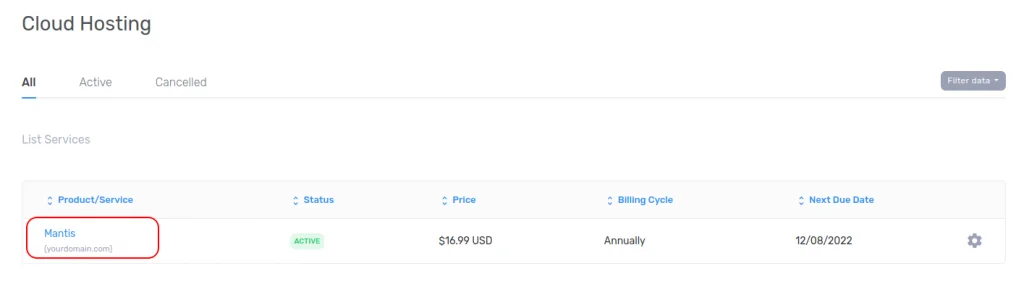
  1. From Left side bar in Clientarea, Go to Your Services -> Shared Hosting/Cloud Hosting
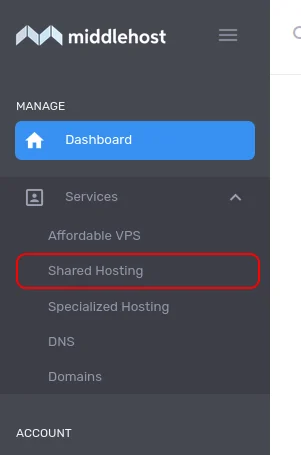
    access cPanel from client area - step 1.png


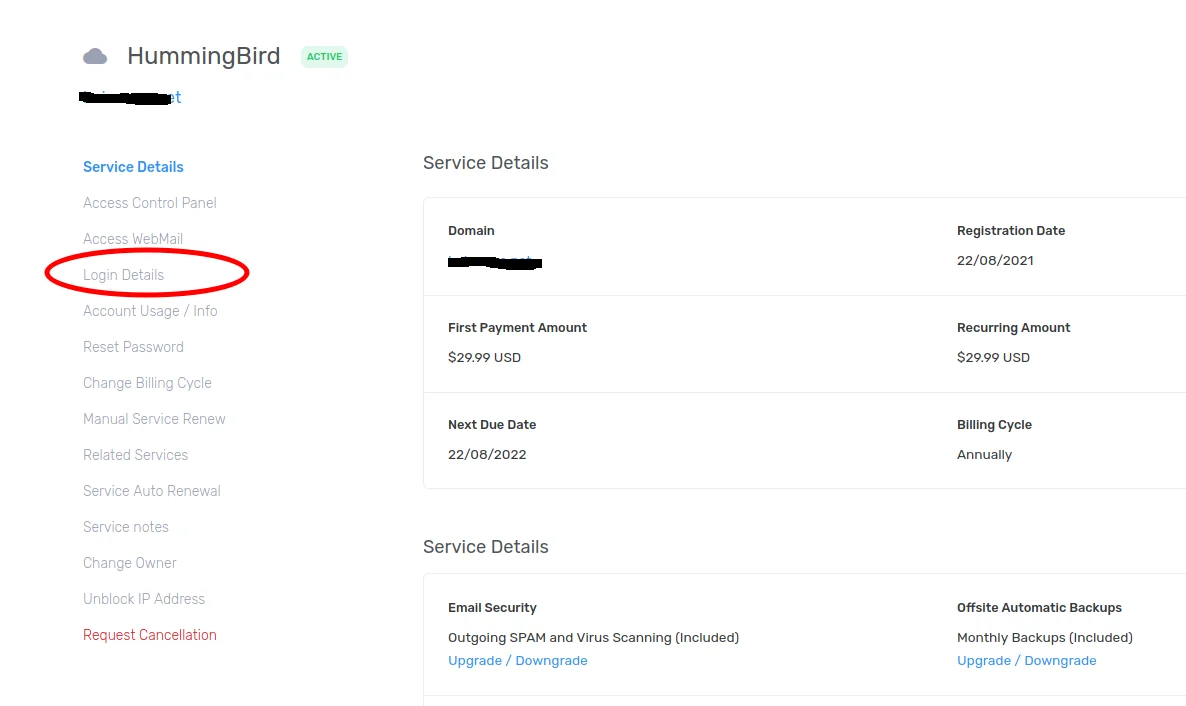
  2. Select Your Purchased product

    access cPanel from client area - step 2.png


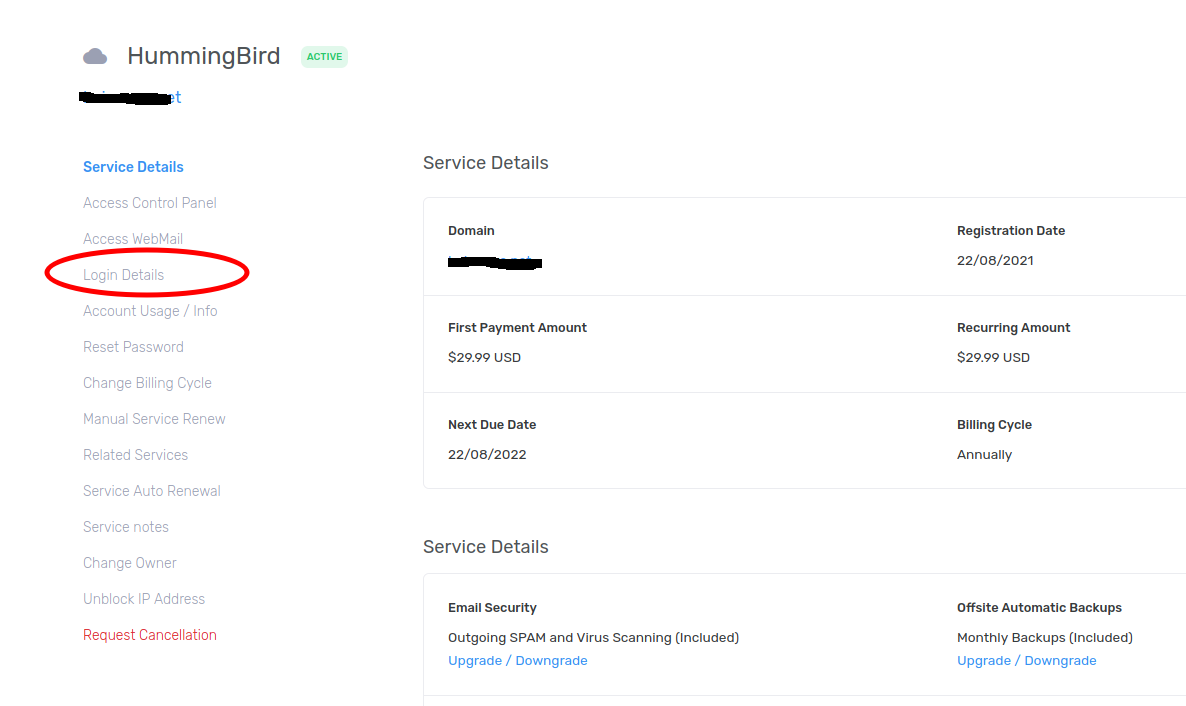
  3. Click on Login Details

    Click on Login Details.png

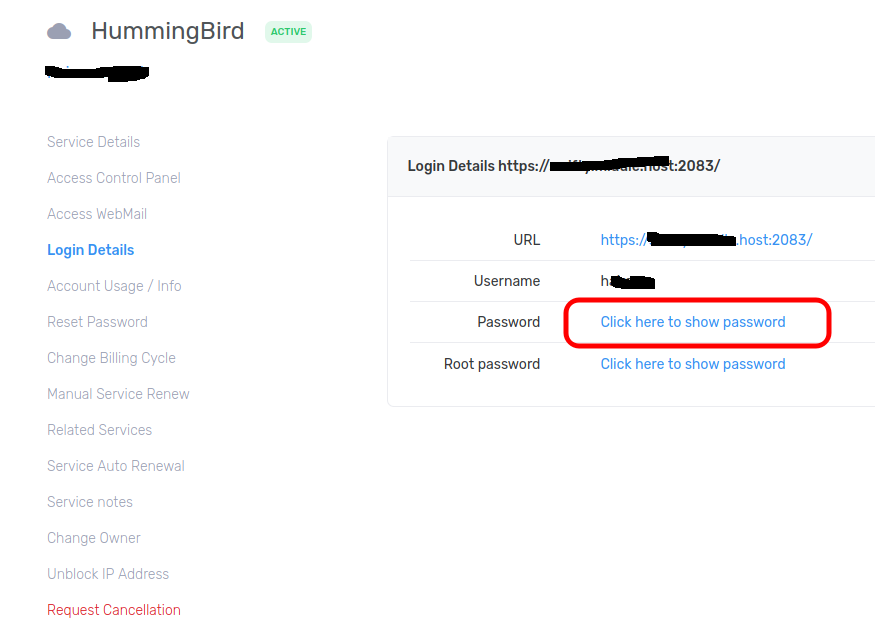
  4. Click on Click here to Show login details
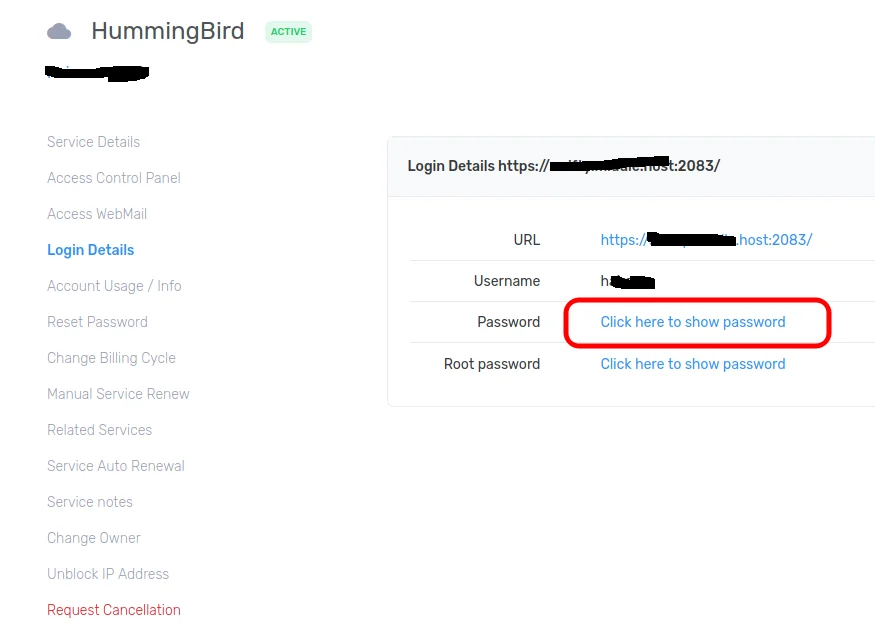
    Show Login Details.png


  5. Use the URL, Username and password from above screen to login to cPanel.


Get online this week

Keep the site.
Leave the old host.

Cheap hosting from PKR 242/mo on a 5-year plan, 50% off. Free eligible migration, and support in Urdu or English. Pay with JazzCash or EasyPaisa.